
The task. And everything you need.
Link files, folders, and web pages to your tasks. Spend less time hunting for the materials you need.
A GTD-based personal task management system
Organize your tasks and focus on today. Keep what you’ve learned ready for whatever comes next.
See 20 years of history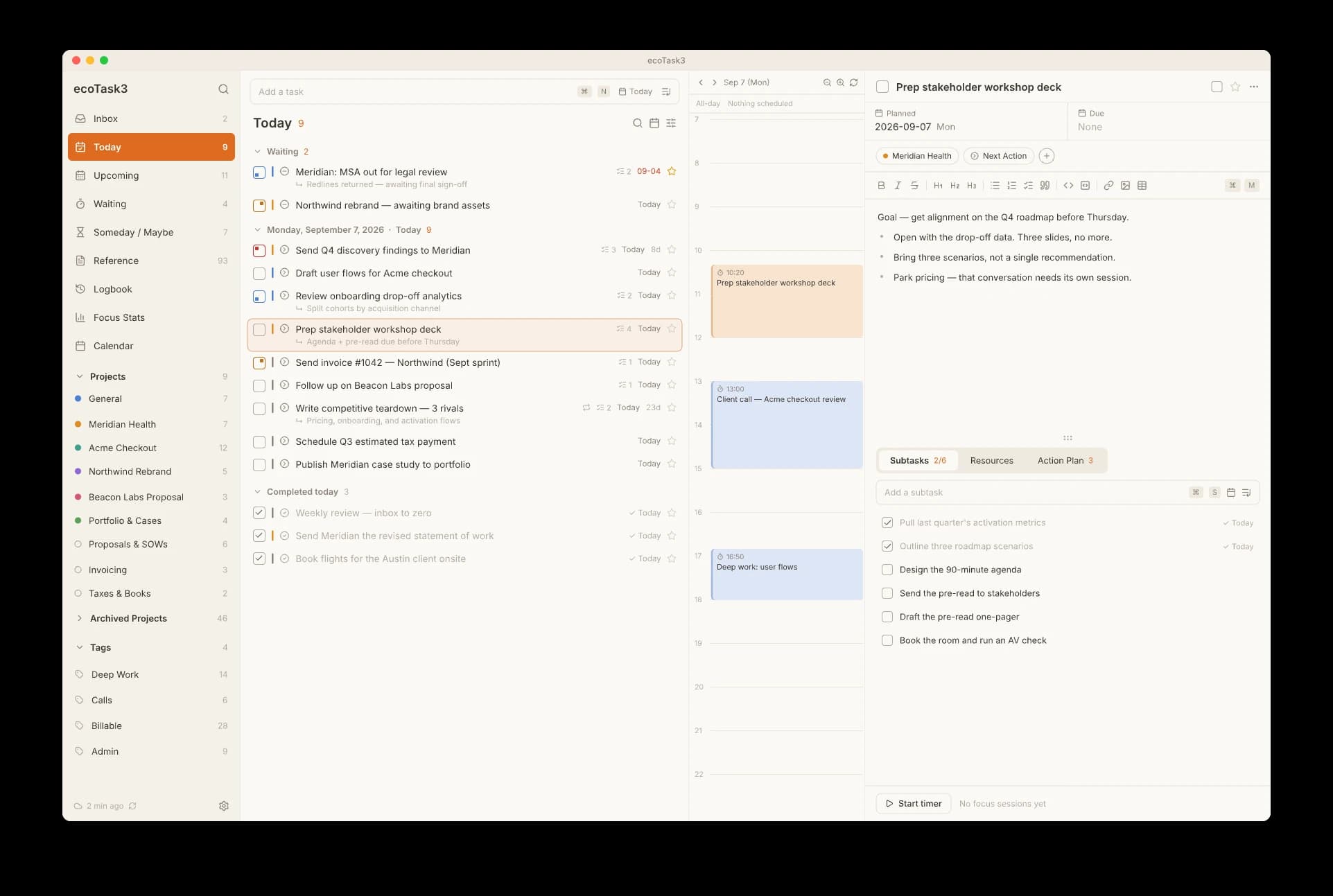
Capture ideas and to-dos in your Inbox. Group them by project and break bigger tasks into smaller steps, so you know where to begin.
Catch a thought before it slips away.
Keep each project moving, step by step.
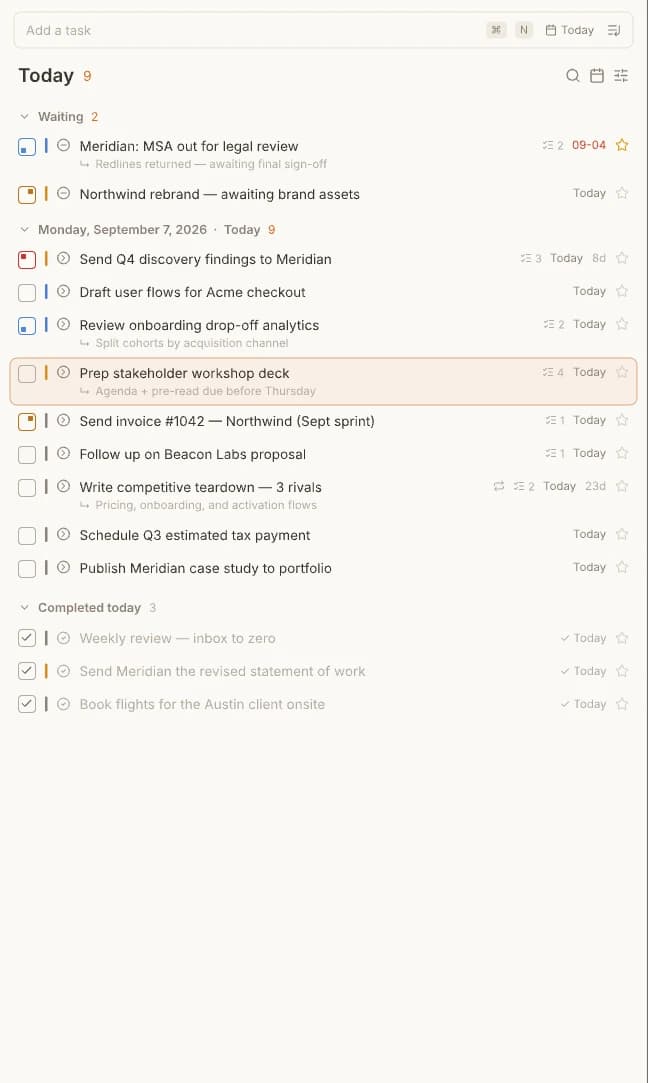
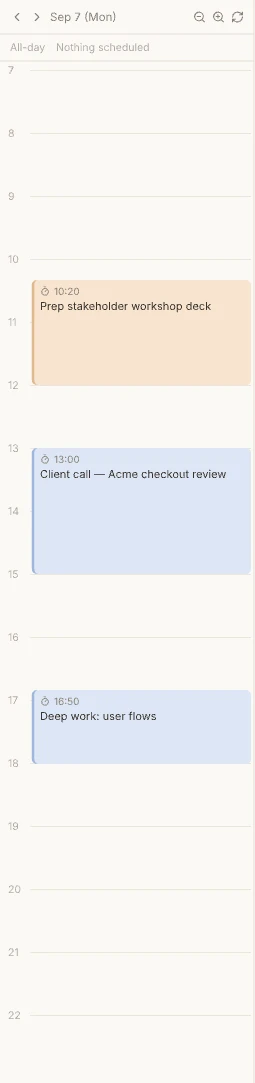
See today’s tasks across all your projects in one list. Keep your schedule alongside them as you work through the day.
The tasks that are yours to move forward.
Things waiting on someone else.
Ideas you’re not ready to act on yet.
A scheduled date is when you plan to work. A due date is when it must be done. Keep both, and make room for the work before the deadline.
Revisit the notes and linked resources from completed tasks. When similar work comes around, you have somewhere to start.
Start with the title you remember.
See what you did and what you used.
Give the next task a head start.
Your records stay on your device. Connect your own Google Drive if you want to sync across devices. Your data never passes through our servers.
Save your records locally. No Google Drive connection needed.
Sync between devices using your own account and storage.
Pick up where you left off
Stored on your device by default.
Connect devices through your own Google Drive.
Keep a backup of the work you’ve done.
Link files, folders, and web pages to your tasks. Spend less time hunting for the materials you need.
Full MCP support. Connect the AI tools you already subscribe to, including Claude and Codex.
A keyboard-first workflow, from adding tasks to organizing and completing them.
Export your data whenever you want. Even if you move on from ecoTask, your information goes with you.
From LifeManager in 2008 to ecoTask today. Real words from people who’ve trusted it with their work.
Read our storyThank you for such a great app. I sometimes drift off to other tools, but this is the GTD app I always come back to. You’re amazing!
I started with LifeManager, and now I’m an ecoTask user.
I use it all the time. It holds its own against paid software. Thank you.
I’ve been happily using ecoTask for about three years.
I’m in awe of the developer’s dedication—even the guide is written with such care.
It packs in so many useful features without feeling complicated or heavy. It’s a really powerful tool, and I use it all the time.
I’ve been getting so much use out of ecoTask for years.
Wow, what an impressive app. Thank you so much.
The work you do today becomes experience you can use tomorrow.